



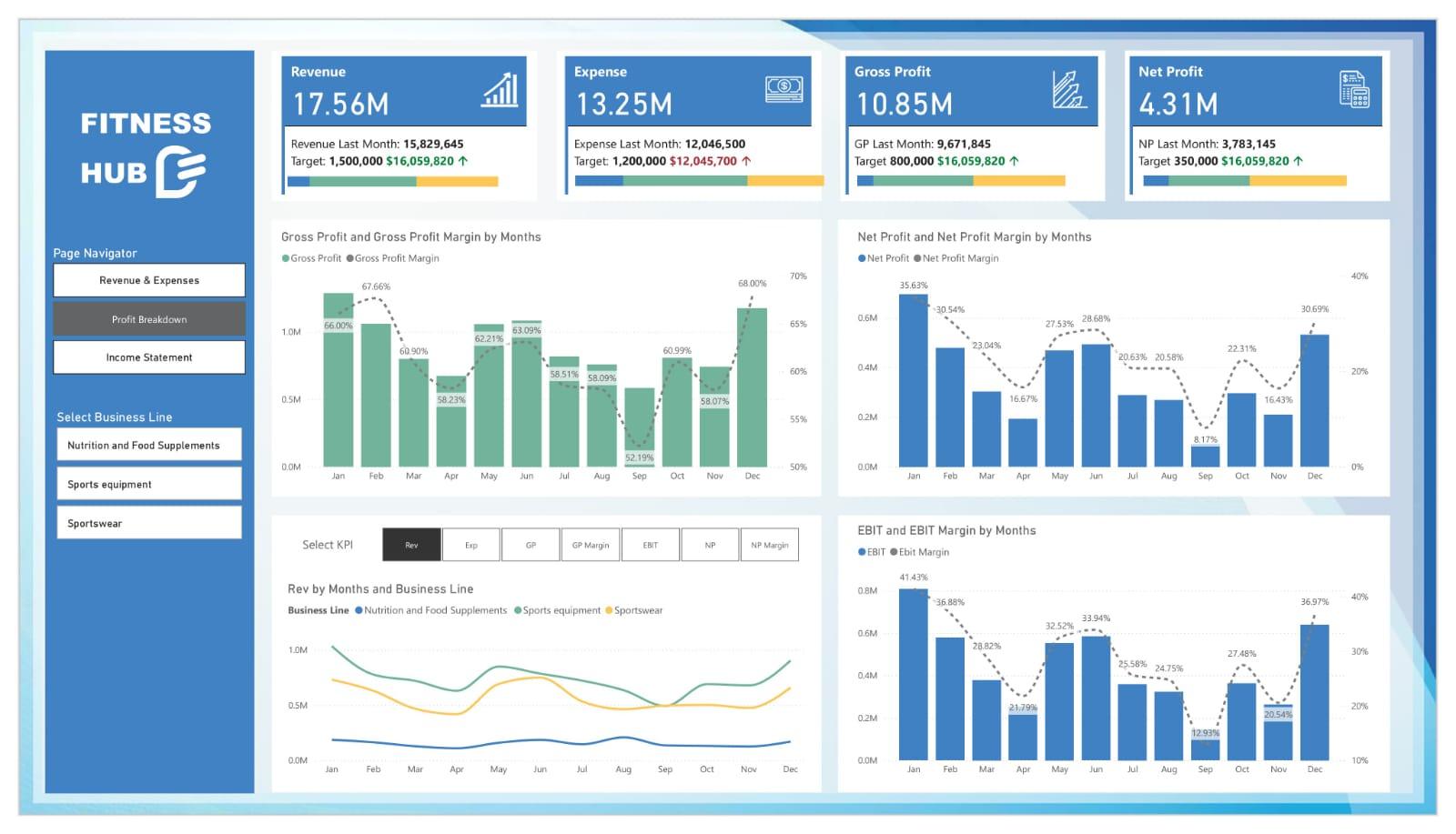


Power BI Finance Dashboard Template for Business Performance Analytics
simple to use, smarter decision-making
- Fully customizable templates
- No monthly fees – one-time purchase
- Instant download after purchase
- Dedicated help and support included
- Lifetime access and future updates
Guaranteed Safe Checkout

Simplify Financial Performance Analysis with Power BI
A quarter ends. The team gathers, numbers on slides, charts scattered across spreadsheets, and everyone’s asking the same question: “Are we really growing?”
That’s where clarity becomes power. Gain complete control over your company’s finances with this Power BI Finance Dashboard Template, designed to turn complex financial data into actionable insights.
Every figure, from revenue to net profit, comes alive through visuals that reveal not just what happened, but why.
With this template, decision-makers no longer chase data; they understand it. CFOs see patterns forming before trends emerge. Founders spot hidden costs before they spiral. Teams align around numbers that finally make sense. Because finance isn’t just about numbers, it’s about knowing the story behind them.
Explore the visuals of this financial reporting dashboard. Includes Profit & Loss, Revenue Trend, Expense Breakdown, and Balance Sheet Analytics visualizations in an easy-to-navigate interface.
Benefits of Financial KPI Dashboard in Power BI
- Track financial KPIs like revenue, profit, and expenses across departments or time periods.
- Compare actual vs. target performance to identify gaps in financial health.
- Identify high-performing business lines and underperforming cost centers.
- Monitor gross and net profit margins to measure financial efficiency.
- Improve operational focus with EBIT, Opex, and cost breakdown visibility
- Save time with ready-to-use visuals for management and board reporting.
Who Can Use This Template
- CFOs and Finance Teams can use it for accurate reporting and strategic decision-making.
- Startup Founders and Business Owners can use it to keep track of profit margins and cash flow.
- Financial Analysts can use it to perform data modeling, forecasting, and variance analysis.
- Consultants and Advisors can use it to prepare client reports quickly and visually.
How to Use This Template
- Download the Power BI finance template file.
- Open it in Microsoft Power BI Desktop.
- Import your company’s financial data (Excel, CSV, or Google sheets).
- Watch your financial performance dashboard populate with insights automatically.
Download the template today and simplify your financial reporting process with Power BI.
Detailed Description of Profit & Loss Dashboard Template
This business financial analytics dashboard is crafted to help you make sense of your company’s numbers without relying on manual spreadsheets. It features a Profit & Loss dashboard, Revenue and Expense Analysis template, and a Balance Sheet analytics report, all powered by Power BI.
The financial KPI dashboard Power BI tracks metrics such as,
- Total Revenue, Total Expenses, Total Profit, and Net Income
- Monthly and Quarterly Trends with YOY (Year-over-Year) comparison
- Expense Distribution by Category
-
Revenue Breakdown by Department or Region
Whether you’re managing a small business or a large enterprise, this finance performance reporting template provides transparency, helps forecast future performance, and empowers your finance team to act strategically.
Business Impact of CFO Dashboard in Power BI
- Instant access to financial KPIs empowers leadership teams to make strategic decisions backed by data.
- Reduce manual reconciliation time with automated dashboards.
- Identify underperforming areas and cost leakages early.
- Use historical trend data to project revenue and manage budgets effectively.
- Finance teams can focus more on analysis and strategy, less on manual reporting.
What’s Included
- Power BI File (.pbix)
- Sample Financial Data in Excel format
- PowerPoint Background Design to reflect your brand’s colors and theme
- User Setup Guide (PDF) for changing data sources
-
Free Email Support
Technical Details
- Compatibility: Power BI Desktop (latest version recommended)
- File Format: .PBIX
- Data Sources Supported: Excel, CSV, and Google sheet
- Customization: Supports additional financial KPIs, departmental analysis, and target metrics upon request to DataFlip team
Get your Power BI finance dashboard template now and take charge of your financial performance.
FAQ Section
Q1. Can I connect this dashboard to my company’s financial system?
Yes. The template supports integration with Excel, CSV, and Google sheet database sources.
Q2. Is this suitable for small businesses or only large enterprises?
It’s scalable for both, whether you’re tracking revenue in thousands or millions.
Q3. Do I need Power BI expertise to use this?
Not necessarily. The template comes pre-built with visuals and guidance, ideal even for beginners in Power BI.
Q4. Can this dashboard handle multiple business units?
Yes. It supports data segmentation across multiple departments, cost centers, or regions.
Q5. What support do I get after purchase?
Every purchase includes documentation and email support for setup and troubleshooting.